Cost of Running a SaaS on AWS: AI Tokens Break the Model
Orkosi Team · · 13 min read

The short answer: AI turns infrastructure into cost of goods sold
A plain CRUD SaaS is cheap and boringly predictable. The cost of running a SaaS on AWS with a few hundred users, a small database, a container or two and a CDN sits in the tens of dollars a month, and it barely moves whether those users log in once a week or forty times a day. Add one LLM feature and that changes shape: cost now scales roughly linearly with user activity, because every action buys tokens.
The position this article argues: AI spend is cost of goods sold, not infrastructure. It belongs in your gross margin calculation next to payment processing fees, and it has to be modelled per action before launch, not discovered in month three when a single enthusiastic customer runs up a bill larger than their subscription.

Why AI cost behaves differently from compute
Fixed capacity vs per-action marginal cost
Compute is capacity you rent. You provision a Fargate task or an RDS instance sized for peak, you over-provision by habit, and 60% idle headroom costs you nothing extra because you already paid for it. Marginal cost per request is effectively zero until you hit a scaling threshold.
Tokens are consumption. There is no headroom to amortise: the thousandth summarisation this month costs exactly what the first one did. That is the structural break, and it is why "we'll optimise infra later" advice does not transfer.
The three variables that actually set your bill
Only three numbers matter, and you can estimate all of them on a napkin:
- Requests per active user per month. How many times does a user trigger the AI feature?
- Input tokens per request. The system prompt, retrieved context, conversation history, tool definitions and the user's actual message.
- Output tokens per request. What the model generates back.
The formula is unglamorous:
monthly cost = requests × ((input_tokens × price_in) + (output_tokens × price_out))
Published model rates are quoted per million tokens, so divide accordingly. Check the Amazon Bedrock pricing page and OpenAI's API pricing for current per-model numbers, because they change several times a year.
Why 'it's only pennies' is the wrong frame
An action that costs 1.8 cents feels free. Multiply it by 40 actions per user per month and 200 users and you have $144. Multiply by a power user doing 2,000 actions and you have one account consuming $66 of inference against a $29 seat.
Pennies times thousands of actions, measured against the 80% gross margin SaaS valuations assume, is a business model decision. Treating it as a line item is how founders end up repricing six months after launch, which costs far more in churn and trust than pricing correctly on day one.
Where the money actually goes in an AI SaaS on AWS
Tokens: input dwarfs output more often than founders expect
Output tokens are priced three to five times higher than input tokens on most frontier models, so people assume output dominates. In retrieval-augmented products it usually does not. A RAG (retrieval-augmented generation, where you fetch relevant documents and paste them into the prompt) answer might send 6,000 tokens of retrieved chunks and generate 400 tokens of answer. Even at a 5:1 price ratio, input wins on volume.
That matters because input is the cheaper thing to fix. You can trim context, cache it or compress it without touching output quality much.
Retrieval: embeddings, vector storage, re-indexing
Generating embeddings is cheap, often a few cents per million tokens. Re-embedding is where it bites: every time a customer edits a document, syncs a Notion workspace or re-uploads a catalogue, you pay again. Products with chatty source data can spend more on re-indexing than on inference.
Storage has a fixed floor, which is the part that surprises people. OpenSearch Serverless bills in OCUs (OpenSearch Compute Units) with a minimum allocation per collection, and at the published per-OCU-hour rate on the Amazon OpenSearch Service pricing page that floor lands in the low hundreds of dollars per month before you store a single vector. For a product with fewer than a million chunks, pgvector on the Postgres instance you already run costs essentially nothing extra and is the right default.
Retries, agent loops and tool calls
An agentic feature re-sends the accumulated context on every step. A six-step agent with a growing transcript does not cost 6× a single call; it costs closer to 15–20× once the transcript compounds. Add a retry on a malformed tool call and you pay for the failed attempt in full.
This is the single largest source of surprise bills in new AI products. A feature that tested at 3,000 input tokens in development hits 40,000 in production because a user asked something that sent the agent round the loop nine times.
The boring AWS layer that still exists
You still pay for the app: compute to serve requests, a database, an ALB, CloudFront, S3, Secrets Manager, and CloudWatch logs that quietly become your third-largest line item once you start logging full prompts and completions.
One specific trap: if your API gateway or Lambda function holds a connection open while streaming a model response, you pay for that wall-clock duration. The AWS Lambda pricing model bills GB-seconds, so a 40-second streaming response from a 1 GB function costs roughly 40 GB-seconds. At a few thousand requests a month that is pocket change; at high volume it argues for streaming from a long-lived container rather than a function.
A worked example: the cost of running a SaaS on AWS with 200 users and one AI feature
The assumptions, stated out loud
Every number below is illustrative. Re-run it with current published prices before you make any decision with it.
| Assumption | Value |
|---|---|
| Active users | 200 |
| AI actions per user per month (median) | 40 |
| Input tokens per action | 3,000 |
| Output tokens per action | 600 |
| Input price | $3.00 per million tokens |
| Output price | $15.00 per million tokens |
| Vector store | pgvector on existing Postgres |
| Fixed AWS layer | $120/month |
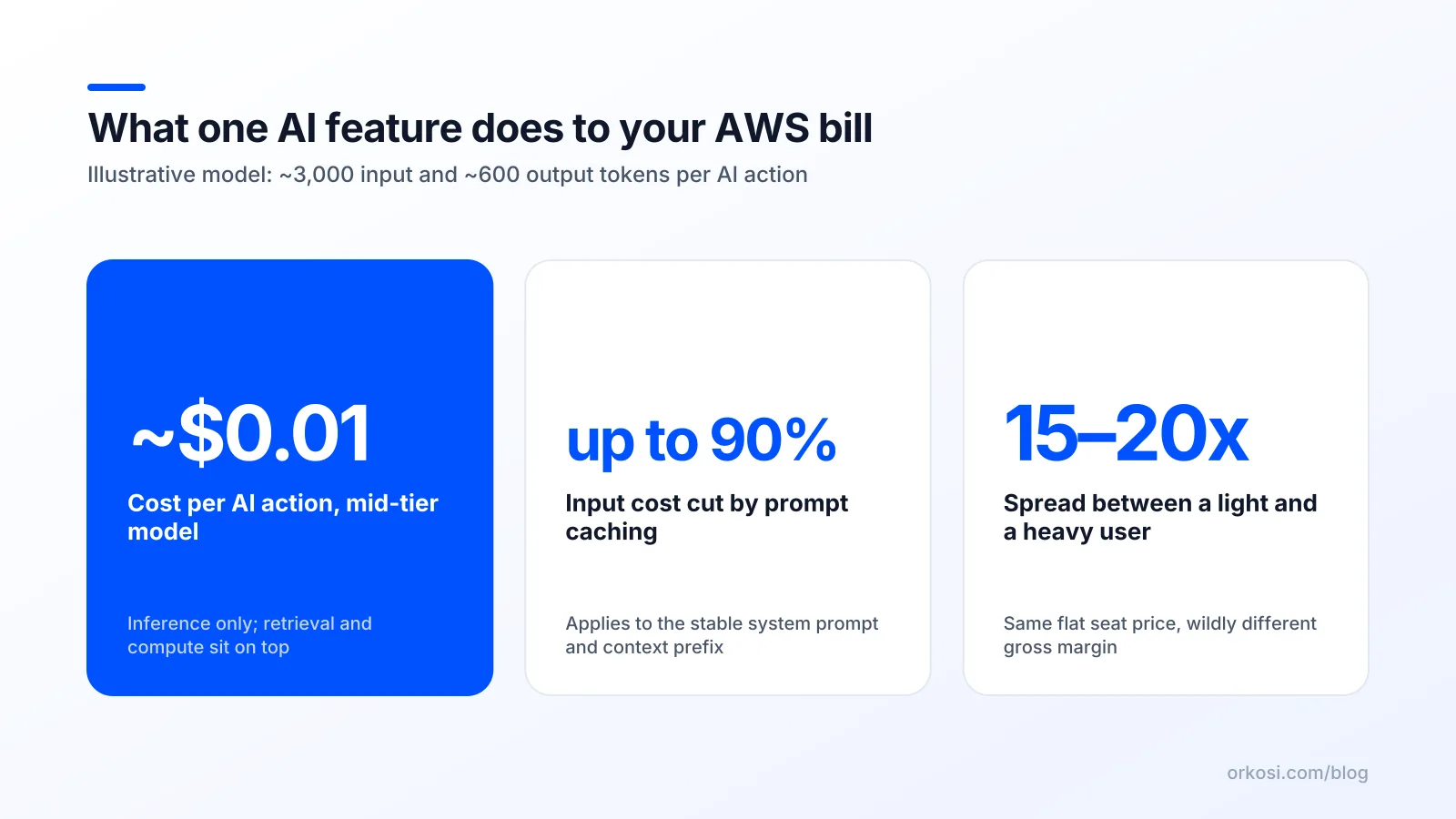
Per action: 3,000 input tokens cost $0.009 and 600 output tokens cost $0.009, so $0.018 per action. Across 8,000 actions that is $144 of inference, plus $120 of fixed AWS, for $264 a month or $1.32 per user.
Light user, median user, heavy user
Averages hide the only number that matters for pricing: the ceiling.
| User type | Actions/month | Input tokens/action | AI cost/month |
|---|---|---|---|
| Light | 5 | 3,000 | $0.09 |
| Median | 40 | 3,000 | $0.72 |
| Heavy | 600 | 8,000 | $19.80 |
| Top 1% | 2,000 | 8,000 | $66.00 |
The spread is roughly 700×. On a $29 flat seat, the median user yields 97% gross margin on AI and the top 1% user yields negative margin. This is not an edge case; it is the shape of every usage distribution ever measured.
What the same app costs with caching and model routing
Two changes. First, cache the stable 2,400-token prefix (system prompt, tool definitions, retrieved boilerplate). Per Anthropic's prompt caching documentation, cache reads price at a fraction of base input and cache writes at a modest premium, which takes the median action from $0.018 to roughly $0.0115. OpenAI publishes a similar cached-input discount.
Second, route the 60% of requests that are simple classification, extraction or short rewrites to a small model at roughly a twelfth of the price. Blended cost per action falls to about $0.005, and the 8,000-action month costs $41.50 instead of $144 — a 71% cut with no change to what the user sees on the hard requests.
The trade-off is real: two models means two sets of evals, and a routing bug means your hardest queries get the cheap model. Budget engineering time for that, not just token savings.
The pricing trap: flat seats on top of variable cost
Why a $29 seat with unlimited AI is a bet against your best customers
Unlimited AI on a flat plan means your most engaged accounts, the ones who renew, refer and give you case studies, are also the ones destroying your margin. You end up quietly hoping your best customers use the product less.
Never ship an unlimited AI feature on a flat plan without a measured cost ceiling per account. "Measured" is the operative word: a technical limit in code, not a hope in a pricing page footnote.
Credits, caps and fair-use: pick one before launch
| Approach | How it works | Honest trade-off |
|---|---|---|
| Hard caps | N AI actions per plan, then blocked or throttled | Annoys power users at exactly the wrong moment; generates support tickets and upgrade friction you have to staff |
| Credits / metered | Usage draws down a balance or bills per unit | Buyers hate unpredictable bills; metering adds billing engineering, reconciliation and "why was I charged" support load |
| Generous fair-use | High soft limit, monitoring, manual conversations with outliers | Leaks margin until you notice, and "we're moving you to a higher plan" is an awkward call to make |
There is no free option. Metered pricing is the most honest match to the underlying cost structure and the most work to implement. Caps are the cheapest to build and the most likely to cause churn in month two. Fair-use is the right choice only if you genuinely monitor it weekly.
Orkosi itself runs on credits, where 1 credit equals $0.01, which prices agent work against what it actually consumes rather than a flat seat; see Orkosi pricing for how that maps to plans. Whether you copy that model or not, someone in the chain is absorbing variance, and you should decide deliberately whether it is you or the customer.
What to instrument on day one
Log, per request: account ID, feature, model, input tokens, output tokens, cached tokens, retries, latency and computed cost. Aggregate it to cost per account per day. You cannot price what you do not measure, and retrofitting this after launch means you price blind for the first quarter.
Seven controls that cut AI spend without gutting the product

Cache the stable prefix
20–50% off input cost for prompt-heavy features. Put everything static at the front (system prompt, tool schemas, few-shot examples, long reference documents) and mark it for caching. Trade-off: caching only pays if the prefix is byte-identical across calls, so you must stop injecting timestamps and user names into the top of the prompt.
Route by difficulty, not by brand loyalty
40–70% when a meaningful share of traffic is simple. Classify the request, send extraction and short-form work to a small model, escalate on low confidence. Trade-off: you now maintain evals for two models and own the routing failure mode.
Budget your context window
20–40%. Set a hard token budget per request and enforce it: top-k retrieval instead of top-fifty, summarised conversation history instead of full transcript, trimmed tool definitions. Trade-off: over-aggressive trimming degrades answers in ways only evals catch.
Cap retries and agent steps
Eliminates the long tail that causes 10× bill spikes. Set max_steps and max_retries explicitly, and fail loudly to the user instead of looping. Trade-off: some genuinely hard tasks will now fail where they previously succeeded expensively.
Batch what is not interactive
Roughly 50% on eligible workloads, since Bedrock and the major vendors discount batch inference. Nightly enrichment, bulk classification and report generation do not need sub-second latency. Trade-off: batch jobs need queueing, status tracking and a story for partial failures.
Store answers, not just logs
Highly variable, occasionally 80%+ for products with repetitive queries. Hash the normalised question plus the relevant document versions and serve a stored answer on a hit. Trade-off: you need invalidation rules, or customers get stale answers after they update their data.
Alarm on cost per account, not total spend
Catches abuse and runaway loops within hours instead of at month end. A total-spend alarm tells you something broke; a per-account alarm tells you which account and which feature. Trade-off: slightly more instrumentation work, no real downside.
Each of these is a discrete, briefable change. On Orkosi you would file them as tasks and agents implement them against your codebase; see how the task loop works for the mechanics.
Bedrock, direct APIs, or self-hosted: how the choice moves the bill
| Option | Price transparency | Idle cost | Data residency | Lock-in |
|---|---|---|---|---|
| Amazon Bedrock | Published per-model rates, on one AWS bill, batch and provisioned throughput available | None on-demand | Stays in your chosen AWS region, VPC endpoints available | Moderate; API shape is AWS-specific but models are multi-vendor |
| Direct vendor API | Published rates, often the first to get new models and cached-input discounts | None | Leaves your VPC, egress charges apply | Low to moderate; one base URL to change |
| Self-hosted open weights | You pay for GPU hours whether or not anyone calls it | Substantial; a single p5 or g6 instance running 24/7 costs more than most startups' entire inference bill | Fully yours | Low on model, high on ops |
Bedrock's advantage is operational rather than financial: one bill, IAM instead of API keys, VPC endpoints, no egress for in-region calls, and committed-throughput options if you ever need guaranteed capacity. Direct vendor APIs often ship new models and discounts first, and the gap on comparable models is usually small enough that latency and feature availability decide it.
Self-hosting is where founders lose months. Below roughly $10,000 a month in AI spend, a reserved GPU costs more than your entire token bill and you inherit batching, quantisation, autoscaling and cold-start problems that are somebody else's full-time job. Revisit the question when inference is your largest cost line and traffic is predictable enough to keep a GPU above 60% utilisation.
How this looks when agents build and run the app
The controls above are mostly plumbing: a token-logging middleware, a cache key, a router, a budget check, a CloudWatch alarm. None of it is intellectually hard and all of it is tedious, which is exactly the category of work that gets deferred until it is expensive.
On Orkosi, agents build, deploy and run the product on AWS, and that plumbing becomes a set of tasks rather than a sprint you have to staff. Hosting is included in the plan, iteration happens through tasks, and the billing unit is credits, so the cost of changing the system is visible in the same place as the cost of running it. The feature set and the app templates cover SaaS and web apps, stores, sites, mobile, desktop, image and video products.
The honest trade-offs: you are describing intent rather than writing the code yourself, so your specifications need to be precise about limits and budgets or the agents will build the generous version. You own the code and the AWS account relationship, so nothing is trapped, but you still need to read what was built and run your own evals on model routing. Agents will implement a cache; they will not decide for you whether your prefix is stable enough to cache.
FAQ
How much does it cost to run a small AI SaaS on AWS per month?
For a few hundred users, expect $50–$200 of fixed AWS infrastructure plus AI spend that typically lands between $0.50 and $5 per active user per month depending on feature intensity. The cost of running a SaaS on AWS without AI stays flat as usage grows; with AI it tracks activity almost linearly. Model it with your own token counts against the Bedrock pricing page rather than any blog figure.
Is Amazon Bedrock cheaper than calling OpenAI or Anthropic directly?
Usually within a few percent for comparable models, so price is rarely the deciding factor. Bedrock wins on consolidated billing, IAM, VPC endpoints and no in-region egress; direct APIs often get new models and cached-input discounts first. Compare the current numbers side by side at Bedrock pricing and OpenAI API pricing.
Should I charge per seat or per credit for an AI feature?
Per seat is easier to sell and leaks margin on heavy accounts; per credit matches cost but adds billing friction and support load. The pragmatic middle is a seat price that includes a generous but enforced allowance, with overage sold in credits. Whichever you pick, measure per-account cost from the first deploy so you can reprice with evidence.
What is the single biggest avoidable AI cost in a new SaaS?
Uncapped agent loops and retries. A feature that averages 3,000 input tokens in testing can hit 40,000 in production when an agent re-sends a growing transcript across a dozen steps, and that long tail is where surprise invoices come from. Hard limits on steps and retries cost an afternoon and remove most of the variance.
Model your own numbers, then build the metering before the feature. Start free and let agents ship the caching, routing and per-account cost alarms as tasks; the credit-based plans are on the pricing page.