Custom App for Small Business: When to Build vs Buy
Orkosi Team · · 11 min read
The default answer to "should we build this?" is no. For most of what a small business runs on, a $29/month subscription beats a custom app for small business on every axis that matters: time to value, support, security patching, and the fact that someone else is responsible when it breaks. AI agents have genuinely changed the arithmetic, but they changed one line of it, not the whole spreadsheet. This article is mostly an argument for buying, with a specific and narrow exception that is worth real money.

The default answer is buy, and it is usually correct
Buy outright in these categories, with no deliberation: accounting and bookkeeping, payroll and tax filing, email and calendar, payments, point of sale, e-signature, password management, and the basic shape of a CRM (contacts, pipeline, notes).
The reason is amortisation. A payroll vendor spreads the cost of tracking tax rules across thousands of customers. Your version of that would be a full-time compliance job with no revenue attached to it. Same for payments: Stripe publishes per-transaction pricing that scales with your revenue, which is exactly the right shape for a cost that only exists when you are getting paid.
Off-the-shelf vs custom software is not really a debate in these categories. It is a debate in one category only: the workflow that is specific to how your business makes money. Everything below is about finding that one workflow and ignoring the rest.
What AI agents actually changed, and what they did not
The build cost collapsed
The first working version of a small internal app used to mean a freelancer at $60 to $150 an hour for four to eight weeks, or an agency quoting five figures for a scoping document. That number has fallen by roughly an order of magnitude on agent platforms. A quoting tool or a client portal that would have been a $15,000 project is now a weekend of describing what you want and reviewing what gets built.
Adoption data suggests this is still early rather than universal. The U.S. Census Bureau's Business Trends and Outlook Survey tracks AI use in production of goods and services, and the share of firms reporting it remains a minority, concentrated in information and professional services. Treat anyone claiming "every small business now builds its own software" as a marketer.
The ownership cost did not
Nothing about agents changed the cost of owning software. You still inherit:
- Hosting. Compute, storage, data transfer and backups are real line items. Platforms bundle this, but the underlying components are visible in AWS pricing and they scale with usage, not with your good intentions.
- Security. Broken access control and injection remain the top entries in the OWASP Top 10. An agent can write authentication for you. It cannot be accountable for your authorisation model in month 14.
- Change. Your business changes, so your app must. DORA's research is consistent on this point: long-term software outcomes are driven by delivery and change-failure practices, not by how fast version one shipped.
Why that asymmetry matters for the decision
If build cost falls 90% and run cost falls 0%, the build/buy line moves toward small, narrow apps rather than big ones. The projects that newly make sense have a tiny surface area and a clear owner. The ones that still do not are the ones where you would be taking on someone else's compliance burden.
Practically, your budget question is not "what does the build cost?" It is "what is the monthly allowance for changing this thing for the next 24 months?" On Orkosi that allowance is credits: Starter is $20/month for 2,000 credits, Pro is $100/month for 6,000 credits, and 1 credit equals $0.01. Current plan details and limits live on the pricing page, and you should check them there rather than trusting a number in a blog post.
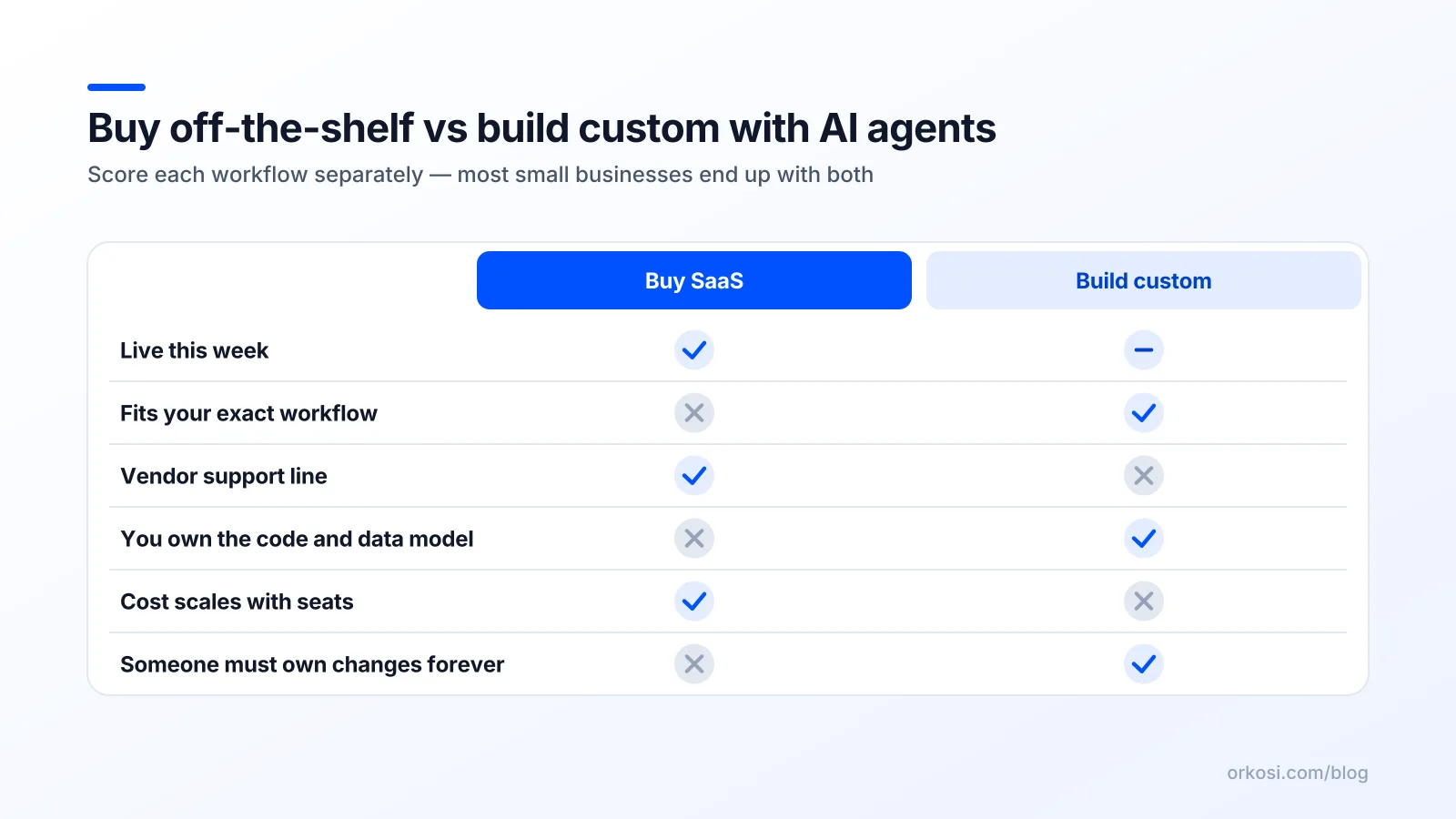
The three-condition test for a custom app for small business
Build only if all three conditions pass. If two pass and one fails, buy and revisit in six months. This is the whole of my advice on when to build custom software.
Condition 1: the workflow is your margin
Passes: A specialty fabrication shop prices jobs from material weight, alloy surcharge, machine time and a customer-specific discount table. Pricing is where it wins or loses 8 points of margin. A tool that gets quotes out in four minutes instead of forty, with consistent math, changes the P&L.
Fails: The same shop wants a custom tool for tracking employee holiday requests. Real work, but not margin. A $4-per-seat HR tool handles it forever.
Condition 2: the tool tax is structural, not just annoying
A structural failure is one that will not be fixed by a vendor update or by you learning the software better.
| Structural (build is on the table) | Annoying (buy, and get over it) |
|---|---|
| Per-seat pricing when you have 40 seasonal field staff who log in twice a week | The dashboard layout is ugly |
| Your core data lives in a vendor database with no usable export | Onboarding took three hours |
| The workflow has a step the vendor will never model (three-stage approval with a regulator in the middle) | It needs five clicks instead of two |
| You pay for an enterprise tier solely to unlock one API endpoint | Support replies in a day, not an hour |
Passes: A home services firm with 35 part-time technicians pays per seat for a dispatch product. The cost scales with headcount while revenue scales with jobs completed. Those curves diverge permanently, which is structural.
Fails: A consultancy of six dislikes its project tool's notification design. That is a preference, and building will cost more than the irritation.
Condition 3: you can describe it in one page
If you cannot write the entities, the screens and the rules on a single page, you do not have a project. You have an ambition, and ambitions are where custom software budgets go to die.
Passes: "Clients log in with a magic link. They see their active jobs, uploaded documents, and open invoices pulled from our accounting tool. They can approve a quote or ask a question. Three screens. Admin side is a list view."
Fails: "A platform that handles everything: CRM, invoicing, inventory, scheduling, marketing, and a mobile app for drivers." That is four products and an integration layer, and it is the single most common way a small business ends up paying twice.
Run the real math: subscription stack vs build and run
What a typical small-business stack actually costs
Illustrative figures for a 10-person services business, 2026 list prices in the ranges commonly published by vendors:
| Tool | Role | Example monthly cost |
|---|---|---|
| Google Workspace | Email, docs, calendar | $140 (10 seats) |
| Accounting (Xero / QuickBooks) | System of record for money | $70 |
| CRM | Pipeline and contacts | $300 (10 seats) |
| Field service / scheduling | Dispatch | $350 |
| Payments | Stripe, per-transaction | variable, revenue-linked |
| Email marketing | Campaigns, deliverability | $60 |
| E-signature | Contracts | $40 |
| Project / task tool | Internal work | $90 |
| Total | ~$1,050/month before payment fees |
That is $12,600 a year and, importantly, it is mostly money well spent. The build vs buy software small business conversation starts when one or two of those lines is both expensive and a poor fit.
What build-and-run costs look like
A realistic build path for one narrow app has three cost components:
- Platform subscription. On Orkosi, the plan covers agent work, hosting, brand kit, billing, SEO and marketing tooling. See pricing for the current tiers.
- Infrastructure consumption. Bundled in the plan, but the underlying shape is the usual compute, storage and egress mix described in AWS pricing. A small internal app with a few dozen users sits at the bottom of every one of those curves.
- An iteration allowance. The line people leave out. Budget for ongoing tasks every month, forever, because the app changes when the business does.
The number most people forget: change requests
Custom software's cost is not the build. It is the next 24 months of tasks. A quoting tool shipped in March will need a new surcharge in May, a PDF template change in July, a tax rule in October, and a second currency when you take on a client across the border. Each is small. Together they are the real total cost of ownership.
A useful rule: estimate the build, then assume you will spend that much again in changes over two years. If the project still beats the subscription it replaces, build. If it only wins when you assume zero maintenance, you are modelling fiction.
The answer most small businesses land on: buy the system of record, build the seam
Keep Stripe for payments, Xero or QuickBooks for the ledger, Shopify for the storefront, Google Workspace for communication. These are systems of record: they hold authoritative data, carry compliance weight, and have migration costs you do not want.
Then build the seam. The seam is the thin custom layer that joins bought tools to the way your operation actually runs: the quoting tool, the dispatch board, the client portal, the inventory reconciler that compares Shopify stock to what is on the shelf.
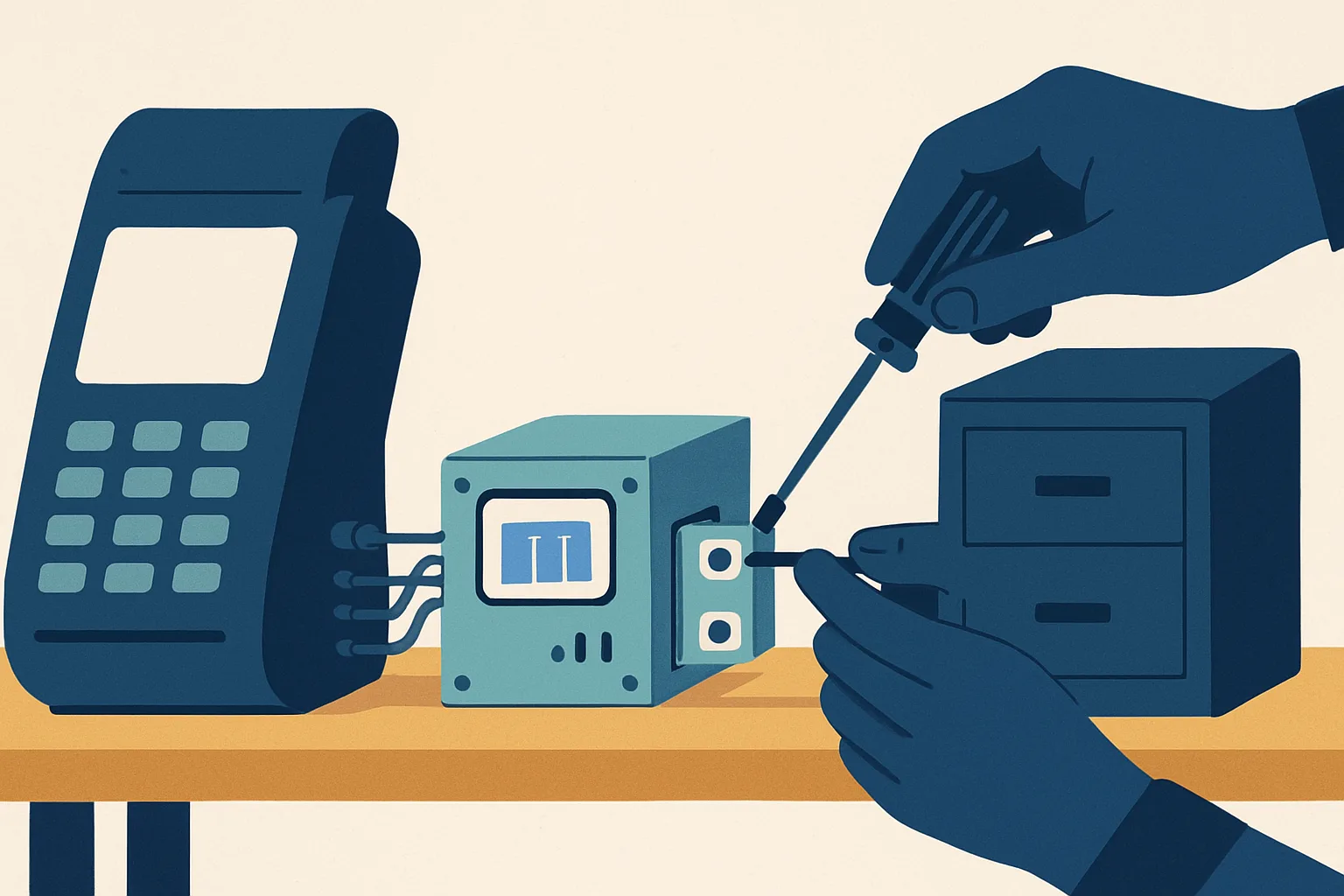
The seam is the highest-ROI custom software a small business can own, for three reasons. Its surface area is small, so maintenance stays small. Its leverage is high, because it sits exactly where humans are currently retyping data. And its migration risk is near zero: if you abandon it, your money, customers and inventory are all still in the vendor systems where they started.
Four custom apps worth building, and four that are not
Worth it
- Client portal. Clients see their jobs, documents and invoices, and approve quotes. Replaces a mailbox full of PDFs. Reads from your accounting tool rather than replacing it.
- Quoting and job pricing. Encodes rules only you know and directly protects margin. Usually one form, one calculation engine, one output document.
- Scheduling with your rules. Generic schedulers model generic constraints. Yours might involve certifications, van capacity, a two-technician minimum, or a mandatory rest window.
- Internal ops dashboard. One screen that pulls from four tools so you stop opening four tabs. Read-only, which makes it the safest custom app there is.
Not worth it
- Your own CRM. The data model is deceptively deep (merge logic, deduplication, activity history, email sync) and the market is brutally cheap.
- Your own accounting. Ledger correctness, audit trails, tax tables, reporting formats. Get one wrong and you have a filing problem, not a bug.
- Your own email marketing. You would be building a sender reputation from zero, plus suppression lists, bounce handling, DKIM/DMARC and unsubscribe compliance. Deliverability is a vendor's whole business.
- Your own payment processing. PCI scope is the liability you are buying. Use Stripe's hosted flows and keep card data out of your system entirely. Same logic for authentication: broken access control sits at the top of the OWASP Top 10 for a reason, so delegate login to a provider and spend your attention on business rules.
How to build the seam without a dev team
Write the one-page spec first
Entities, screens, rules, integrations, and one sentence on what success looks like. If you cannot name the three screens, you are not ready. This document also protects you later, because an undocumented custom app is a liability.
Pick the template that matches the shape
Shape matters more than ambition. A client portal is a web app. A product catalogue is an online store. A marketing site is a website. Orkosi's app templates cover SaaS / web app, online store, website, image studio, mobile app, desktop app and video channel, and picking the right starting shape saves more agent time than any prompt trick.
Ship narrow, then iterate by task
The Orkosi flow is: describe the product, agents write the code, it deploys on AWS, and you keep iterating through tasks. Hosting, brand kit, billing, SEO and marketing tooling come with the plan, documented in the feature overview and docs.
The part that matters for build vs buy is that the code is yours. Ownership makes the decision reversible: if the custom route stops earning its keep, you still have the repository and the data, and you can hand both to a developer or shut it down cleanly. That is a materially different position from being locked inside a no-code vendor's runtime.
Trade-offs we are not going to pretend away
No support line. When the portal is down at 7am and a client is calling, there is no vendor with an SLA. Mitigation: keep the custom layer non-critical. If your app being down stops you taking money, you built in the wrong place.
You are the product manager forever. Agents do not decide what to build. Mitigation: one named owner, a written backlog, and a monthly review rather than ad-hoc requests.
Integrations drift. Third-party APIs deprecate endpoints and change auth flows. Mitigation: log integration failures loudly, and prefer read-only connections where you can.
Undocumented software hurts resale. A buyer discounts what they cannot understand. Mitigation: keep the one-page spec current and data export-ready.
The stop-building signal: if you are spending more hours per month maintaining the custom app than it saves, or if a vendor ships the feature you built, stop. Migrating back to off-the-shelf is a legitimate outcome, not a defeat.
FAQ
How much does a custom app for a small business cost in 2026?
Custom software for small business cost now splits into two numbers: a build cost that agent platforms have pushed into the tens or low hundreds of dollars for a narrow app, and a run cost of platform subscription plus hosting plus ongoing changes. Budget the second number for 24 months before deciding. For current plan tiers and credit allowances, see pricing.
Is a custom app cheaper than paying for SaaS subscriptions?
Sometimes, and only for specific lines in your small business SaaS stack cost. It wins when per-seat pricing scales against you, or when a tool charges an enterprise tier for one feature you need. It almost never wins against commodity categories like accounting, email or payments, where the vendor is absorbing compliance work you would otherwise do yourself.
Do I own the code if AI agents build my app?
On Orkosi, yes: the code is yours, which is what makes the build decision reversible. Check this explicitly with any platform you evaluate, because the answer varies, and a custom app you cannot export is a subscription with extra steps. The docs cover how projects and deployments are structured.
What should my first custom app do?
Replace the spreadsheet or the retyping step that sits closest to revenue, usually quoting, scheduling or a client portal. One screen, one workflow, read-only integrations where possible. If the first version is not useful within a week, the scope was too big.
Pick one workflow where the tool tax is structural, write the one-page spec, and start free to see what the first version looks like before committing to anything. Compare that against the subscription it would replace using the current numbers on pricing.