How to Add Stripe Payments Without Coding: A Launch Guide
Orkosi Team · · 8 min read
You can add Stripe payments without coding, provided the tool you build with handles seven things for you: products and prices, a checkout page, webhooks that update your records when Stripe reports a payment, subscription logic, invoices, tax, and a way for customers to manage their own billing. Stripe provides most of the pieces as hosted pages and APIs; the work is in wiring them to your app so that a card charged in Stripe becomes an active account in your database. Some AI app builders do that wiring from a prompt, some scaffold it on request, and some leave it to you. This guide explains each piece, the order to set them up, how builders compare, and what to test before launch.

What a payments setup actually needs
"Payments" sounds like one feature. In a running product it is a small system with seven parts, and the ones founders forget are the ones that cost money later.
| Part | What it does | Where it lives |
|---|---|---|
| Products and prices | Defines what you sell and at what amount, currency and interval | Stripe Dashboard |
| Checkout | The hosted page where a customer enters a card | Stripe Checkout, linked from your app |
| Webhooks | Stripe telling your app "this payment succeeded" or "this subscription was cancelled" | An endpoint in your app |
| Subscriptions | Recurring billing, trials, upgrades, downgrades, proration | Stripe Billing plus your app's plan logic |
| Invoices | The document your customer's accountant wants | Generated by Stripe, emailed or downloadable |
| Tax | VAT, GST or sales tax by location | Stripe Tax or your own rates |
| Customer portal | Where customers change cards, cancel and download invoices | Stripe's hosted portal |
The first two can be done in an afternoon by anyone with a Stripe account. The next five are where "without coding" either holds or breaks.
The seven pieces, explained
Products and prices
In Stripe, a product is the thing (a plan, a service, a report) and a price is one way to pay for it: a monthly amount, an annual amount, or a one-off fee. Create them in the Stripe Dashboard first, in test mode. Your app only needs to know the price identifiers; the amounts live in Stripe.
Checkout
Stripe Checkout is a hosted payment page: your app sends the customer to Stripe with a price and a return URL, Stripe takes the card, handles 3-D Secure and wallets, and sends the customer back. Using it means card details never touch your servers, which removes most of your compliance burden.
Webhooks
This is the piece that no-code marketing glosses over. When the customer returns from Checkout, your app does not yet know whether the payment succeeded; Stripe tells it afterwards through a webhook, a signed HTTP request to an endpoint in your app. Your app must verify the signature, record the event, and update the customer's plan. Without webhooks, cancellations and failed renewals silently drift out of sync with your database.
Subscriptions
Stripe Billing runs the recurring part: charging each period, retrying failed cards, applying trials and proration on plan changes. Your app's job is to map subscription status (active, past due, cancelled) to what the user can do, and to handle the webhook events that change that status.
Invoices and tax
Stripe generates invoices for subscriptions automatically and can email them. Tax is a separate decision: for customers in the EU, the UK, Australia and many US states you are expected to charge the right rate, and Stripe Tax can calculate it if you enable it and collect the customer's location at checkout.
Customer portal
Stripe's hosted portal lets customers update cards, switch plans and cancel without emailing you. Turning it on removes a whole class of support tickets before they exist.
The steps, in order
Set the pieces up in this order and test each before the next. Jumping to "add a Buy button" first is how products end up with paid customers who have no access.
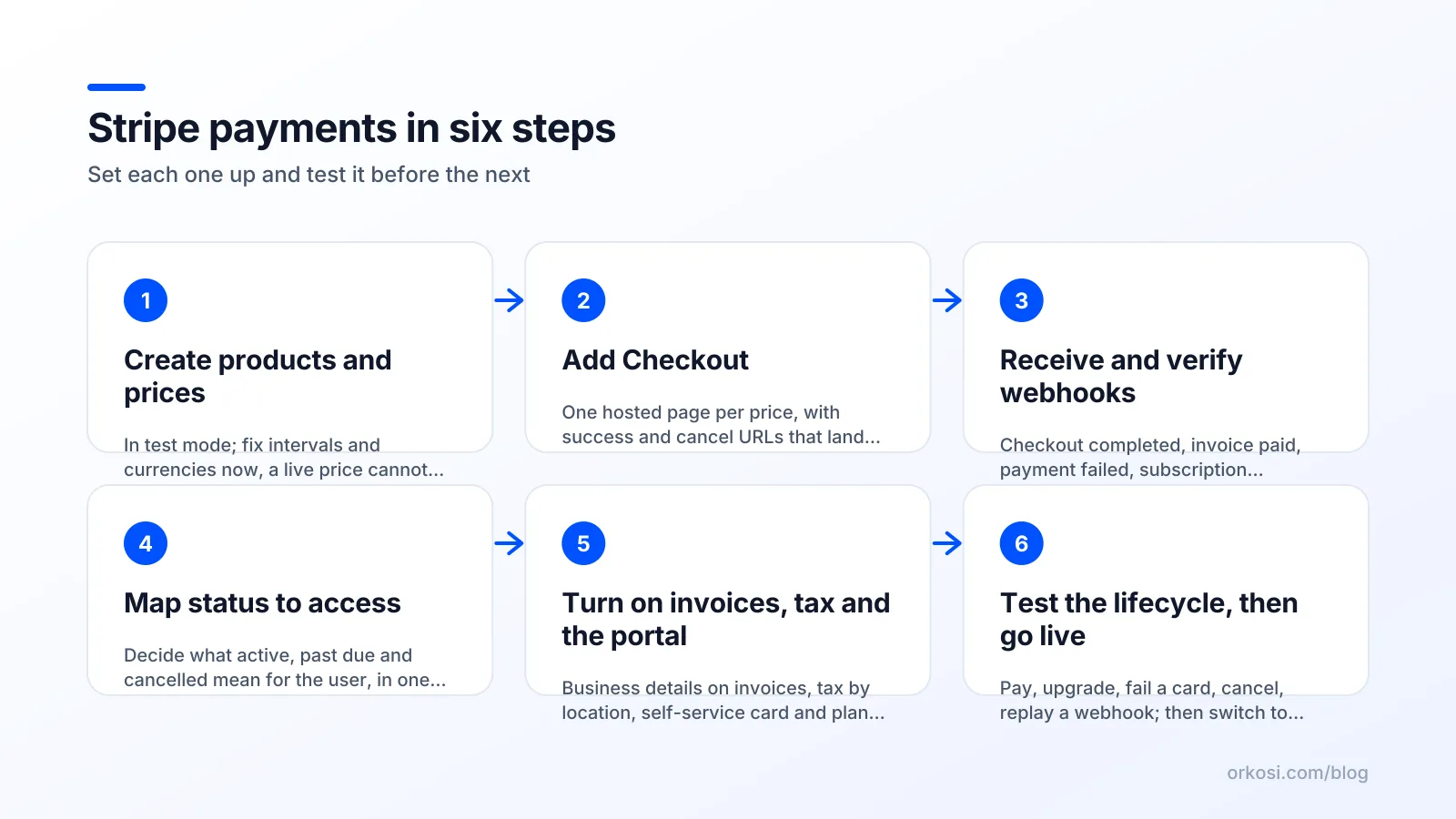
- Create products and prices in test mode. Decide intervals and currencies now; a live price cannot be edited, only replaced.
- Add Checkout. One link or button per price, with success and cancel URLs that land somewhere sensible.
- Receive and verify webhooks. Handle at least: checkout completed, invoice paid, invoice payment failed, subscription updated, subscription deleted.
- Map subscription status to access. Decide what "past due" means for your users (a grace period or a lockout) and build that rule once, in one place.
- Turn on invoices, tax and the customer portal. Set your business details so invoices are valid where you sell.
- Test the full lifecycle, then switch keys to live. Sign up, pay, upgrade, fail a card, cancel, and check your database after each step.
How AI app builders add Stripe payments without coding
Builders differ a lot here, and the difference is mostly about step three onwards. The table uses one row of the public feature grid, "Plans, credits and subscriptions built in (Stripe)", checked 2026-10-08. "Partly" means Stripe is reachable, with the condition in the note.
| Tool | Plans, credits and subscriptions built in (Stripe) | Note from the grid |
|---|---|---|
| Bolt | Yes | Stripe integration |
| Lovable | Partly | Built-in payments on paid plans |
| Base44 | Partly | Stripe connectable from the chat |
| Bubble | Partly | Official Stripe plugin |
| Replit | Partly | Stripe integration on request |
| Emergent | Partly | Stripe checkout scaffolded on request |
| v0 | No | Not in the grid |
| Orkosi | Yes | Plans, credits and subscriptions built in |
How to read it. A "partly" usually means Checkout is easy and the rest depends on how well you prompt or configure: webhooks, status mapping, portal, tax. Lovable's built-in payments are on its paid plans, which start at $25 a month for the Pro plan with a monthly allowance of 100 credits (vendor page, checked 2026-10-08). A "yes" means the plan and subscription model is part of the product rather than an add-on.
On Orkosi, plans, credits and subscriptions are included in every product, and the agents build the webhook handling and access rules as part of the brief; automated tests and a reviewer check it before it ships. If your product is a one-off purchase with no accounts, that is more machinery than you need, and a builder with a simple Checkout link is the quicker way to add Stripe payments without coding. Compare the grid per tool on the compare pages.
Stripe's fees and what they mean for your prices
Stripe charges per successful transaction; the current standard rates are on stripe.com/pricing and vary by country and card type, with extra fees for currency conversion, Stripe Tax and some payment methods. Two practical consequences:
- Very small prices lose a large share to the fixed per-transaction component. A plan priced at a few dollars a month pays a far higher percentage in fees than one priced at a few tens of dollars; consider annual billing for low-price tiers.
- Fees are not your only cost. Failed renewals, refunds and disputes take time, and each dispute carries its own fee on the pricing page. The webhook handling you set up in step three is what keeps that time small.

What to test before launch
When you add Stripe payments without coding, these tests are your only proof that the wiring is right. Do every one in test mode with Stripe's test cards, then repeat the first three in live mode with a real card and refund yourself.
- Happy path. Sign up, pay, land on the success page, and confirm the account is active in your database, not just in Stripe.
- Abandoned checkout. Start a payment and close the tab. Nothing should change in your app.
- Failed card. Use a test card that declines; the user should see a clear message and no access.
- Renewal failure. Simulate a failed renewal and check what your app does on "past due".
- Upgrade and downgrade. Check proration on the invoice and the access change in the app.
- Cancel from the portal. Access should end at the right time, and your database should say so.
- Webhook replay. Resend an event from the Stripe Dashboard; your app must handle it once, not twice.
- Invoice and tax. Download an invoice as a customer in another country and check the tax line and your business details.
Stripe's testing documentation lists the card numbers for each scenario, including declines, 3-D Secure challenges and disputes.
Common mistakes when you add Stripe payments without coding
- Trusting the success page. The return URL is not proof of payment; the webhook is.
- No idempotency. Webhooks can arrive twice. Record the event identifier and ignore repeats.
- Hard-coded prices in the app. Keep plan definitions in one place and reference Stripe price identifiers; copying amounts into the interface guarantees they drift.
- Skipping the portal. Every cancellation becomes an email to you.
- Going live without tax decided. Backfilling VAT on months of invoices is painful and sometimes impossible.
- One environment. Test keys in a dev environment, live keys in production, never both in one place. On Orkosi each product has a dev and a production environment for exactly this reason; see the feature list and the documentation.
Bolt is a trademark of its owner; Orkosi is not affiliated with it. Lovable is a trademark of its owner; Orkosi is not affiliated with it. Base44 is a trademark of its owner; Orkosi is not affiliated with it. Bubble is a trademark of its owner; Orkosi is not affiliated with it. Replit is a trademark of its owner; Orkosi is not affiliated with it. Emergent is a trademark of its owner; Orkosi is not affiliated with it. v0 is a trademark of its owner; Orkosi is not affiliated with it.
FAQ
Can I really add Stripe payments without coding?
Yes for products and Checkout, and yes for the rest if your builder generates webhook handling and subscription logic for you. On the public grid, Bolt and Orkosi list plans and subscriptions as built in; several other builders list Stripe as partly supported, which usually means Checkout is easy and the rest depends on your prompts.
Do I need webhooks for a one-off payment?
You should still use them. The success page can be reached without a completed payment, and refunds and disputes arrive only through webhooks. For a single product with no accounts the handler is small, but it is the only reliable record of what happened.
How much does Stripe cost?
Stripe charges a percentage plus a fixed amount per successful transaction, with the current rates by country on stripe.com/pricing. There is no monthly fee for the standard plan; optional products such as Stripe Tax have their own pricing on the same page.
Does Orkosi charge extra for billing?
Plans, credits and subscriptions through Stripe are built into every product; Stripe's own transaction fees still apply and are paid to Stripe. Orkosi has a free plan, and the paid plans are listed on the pricing page.
If you want billing built and tested as part of the product rather than bolted on, create a free account, describe your plans in plain words, and see the pricing page for what the agents' work costs.