A Booking App for Small Business: Build One With AI in 2 Weeks
Orkosi Team · · 10 min read
A booking app for small business use, say a physiotherapy clinic with three practitioners, needs five things: a public page where patients pick a service, a practitioner and a time; a calendar that knows who is free; a way to take a deposit; reminders that cut no-shows; and an admin view for the front desk. With an AI platform that builds and runs the product, that is a two-week project from brief to live, and the running cost is dominated by Stripe's per-transaction fee rather than hosting. This article is a worked example: the brief in plain words, the data model in one table, the pages, payments and reminders, what it costs to run, and a day-by-day plan to launch.

The brief, in plain words
The best briefs read like an email to a capable friend. Here is the one for the clinic, lightly edited:
We are a physiotherapy clinic with three physios. Patients should book online: pick a service (initial assessment, 45 minutes; follow-up, 30 minutes; sports massage, 60 minutes), pick a physio or "any", and see available times for the next four weeks. Each physio sets their own weekly hours and days off. A booking takes a card deposit through Stripe; the balance is paid at the clinic. Patients get a confirmation email at once and a reminder 24 hours before, with a link to reschedule or cancel up to 12 hours ahead. The front desk needs a day view, a way to add walk-ins and block time, and a list of today's patients with notes. The owner can change services, prices and hours without asking anyone.
About 130 words, and it contains every decision an agent, or a developer, needs to start. Notice what it does not include: colours, frameworks, hosting or database choices. Those are the builder's job, and a good builder will propose them rather than ask.
The data model in one table
Every booking app for small business owners, whether a barber, a clinic or a dog groomer, reduces to the same seven tables. Here is the clinic's.
| Table | What one row is | Key fields |
|---|---|---|
| practitioners | One physio | name, email, colour, active |
| services | Something a patient can book | name, duration_minutes, price_cents, deposit_cents, active |
| availability_rules | A recurring working window | practitioner_id, weekday, start_time, end_time |
| time_off | A blocked period | practitioner_id, starts_at, ends_at, reason |
| patients | One customer | name, email, phone, notes, created_at |
| appointments | One booking | patient_id, practitioner_id, service_id, starts_at, ends_at, status, deposit_payment_id |
| reminders | One scheduled message | appointment_id, send_at, channel, sent_at, status |
Two rules make the model work. Available slots are never stored; they are computed from availability rules minus time off minus existing appointments, so a change to hours applies everywhere at once. And appointment status is a small, fixed set (pending_payment, confirmed, completed, cancelled, no_show), with every change written to a log so the front desk can answer "who cancelled this, and when?".
The pages the app needs
Eight pages cover the clinic. Fewer than founders expect, because Stripe and email do a lot of the work.
Public
- Services page: the three services with duration and deposit, one button each.
- Booking flow: choose a practitioner or "any", pick a date, pick a time, enter name, email and phone.
- Payment: Stripe Checkout for the deposit, then a confirmation page with a calendar file.
- Manage booking: a link from the email to reschedule or cancel within the rules.
Staff
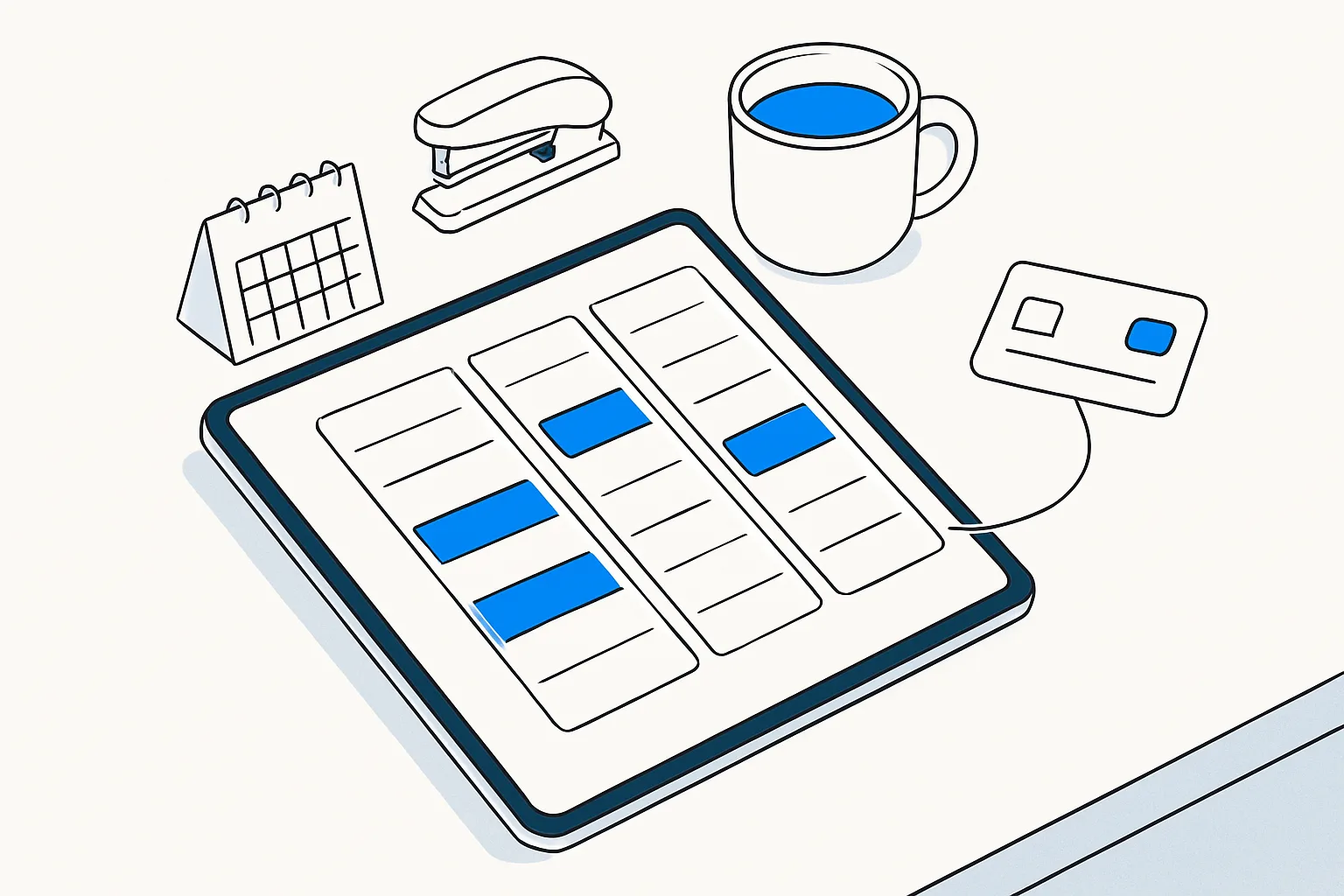
- Day view: every practitioner as a column, appointments as blocks, walk-ins and blocked time added in place.
- Patient list: today's patients with notes, and a searchable history.
- Settings: services, prices, deposits, hours, time off.
- Reports: bookings, deposits taken and no-show rate by week.
A platform with a brand kit and a blog engine also gives the clinic a home page and a few articles for local search, which is how most small practices get found. On Orkosi those come with the product; see the templates for starting points and the feature list for what is included.
Payments and reminders
Deposits. The booking is created as pending_payment, the patient is sent to Stripe Checkout for the deposit, and the appointment becomes confirmed only when Stripe's webhook reports the payment. If the webhook does not arrive within 15 minutes, the slot is released. Stripe's standard transaction fees apply and are on stripe.com/pricing; for a deposit of a few tens of dollars the fee is a small fraction of the booking.
Cancellations. Cancelling more than 12 hours ahead refunds the deposit through Stripe; later than that, the clinic keeps it. That rule is a setting, not code, so the owner can change it without a new build.
Reminders. Each confirmed appointment schedules two rows in the reminders table: a confirmation now and a reminder 24 hours before. A job runs every few minutes, sends what is due by email, and records the result. SMS can be added through a provider later; email first keeps the first version simple and cheap.
Calendar. The confirmation email includes a calendar attachment, which patients add to their phone, and the staff day view can be mirrored to the practitioners' own calendars in a later task.
From brief to live in five steps
The sequence is the same whether an agent team or a developer does the work. What changes is who does each step.
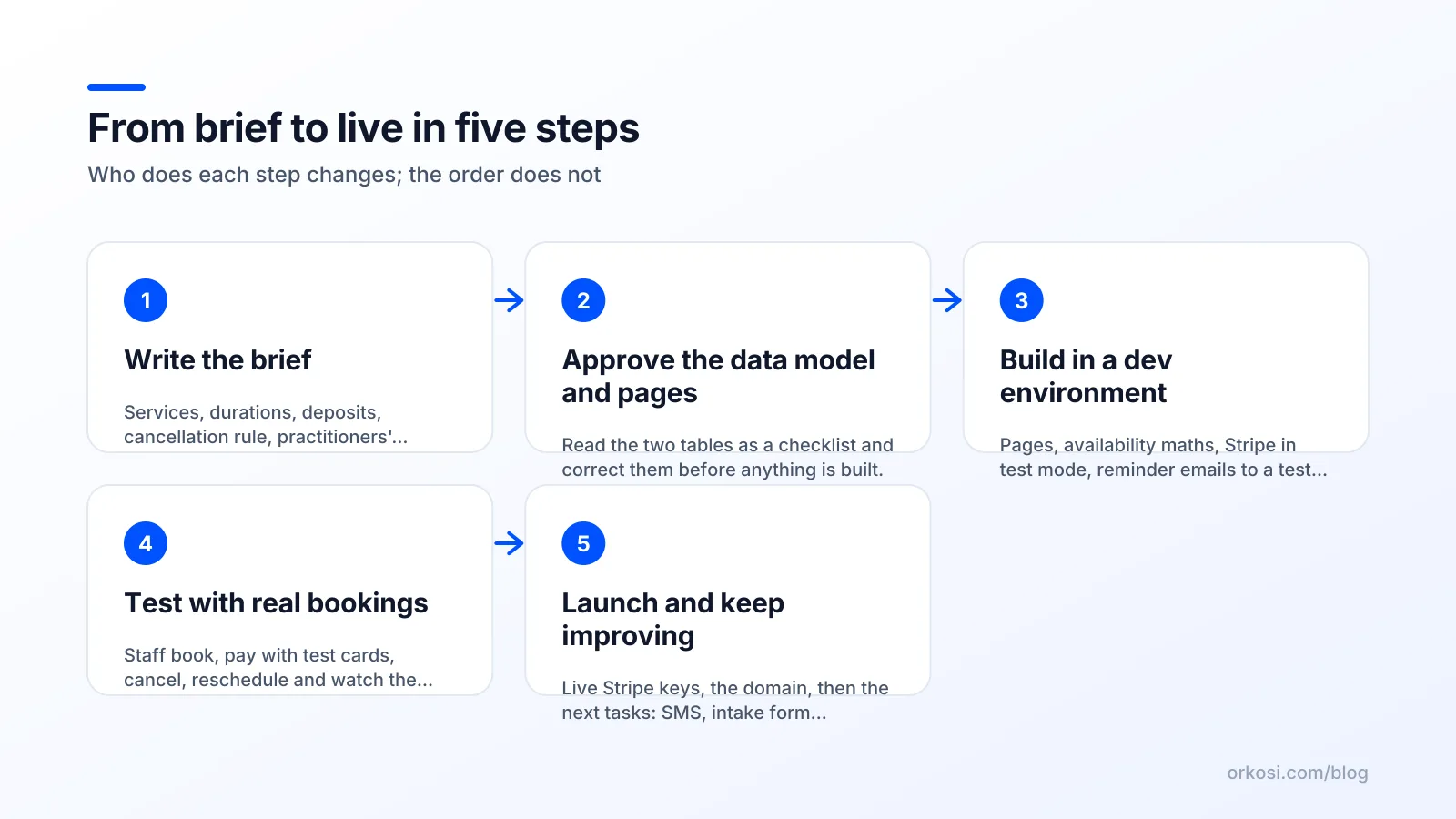
- Write the brief. The 130 words above, plus the clinic's logo and colours.
- Approve the data model and pages. Read the two tables above as a checklist; correct anything that is wrong for your business before anything is built.
- Build in a dev environment. Pages, booking logic, Stripe in test mode, reminder emails to a test inbox.
- Test with real bookings. Staff book, pay with test cards, cancel, reschedule and watch the day view.
- Launch and keep improving. Switch Stripe to live keys, point the domain, and file the first follow-up tasks (SMS, an online intake form, gift vouchers).
On Orkosi, step three is done by agents from the brief, automated tests and a review gate run before each change ships, and step five is a task board: the clinic writes a task, an agent builds it, a reviewer checks it, it deploys. The honest trade-off against a visual builder is that you describe rather than drag; for owners who would rather write a paragraph than learn an editor, that is the point.
What a booking app for small business owners costs to run
Hosting a booking app for small business clients is cheap; the bill is mostly Stripe. Here are the lines, with the public pricing pages rather than invented totals.
- Application compute. On AWS, Lambda includes 1 million requests a month free and bills per request after that; a clinic's traffic is a small fraction of that allowance. Container-based hosting costs more but is still a modest monthly figure.
- Database. A small RDS instance with automated backups, in the low tens of dollars a month; the AWS Free Tier can cover part of the first year.
- Files and delivery. S3 for the few images a clinic has, and CloudFront for delivery, with an always-free allowance of 1 TB of data transfer out a month.
- Email. Transactional email for confirmations and reminders, usually in the free or lowest tier of any provider at clinic volumes.
- Stripe. A percentage plus a fixed amount per successful payment, per stripe.com/pricing. For a clinic taking several hundred deposits a month this is the largest line, and it scales with revenue, which is the right kind of cost.
- The platform or the people. If a platform builds and runs the app, its plan is the fixed cost. Orkosi has a free plan and paid plans with credits; the figures are on the pricing page. If a developer builds it, their time is the cost, and someone still has to operate it afterwards.
What a vertical tool or a no-code builder would charge instead
Vertical booking tools (software sold specifically to clinics, salons or barbers) charge a monthly subscription per location or per staff member, often with their own payment processing fees on top, and keep your data in their system. They are quick to start and worth considering if your needs match their template exactly; the moment you want a rule they do not have (the 12-hour refund window, a deposit that varies by service), you are waiting on their roadmap. We have no public prices for those tools in our comparison sheet, so we will not quote any.
No-code builders are the other route, and their prices are public. It is $59 a month billed annually, per app, for Bubble's Starter plan (vendor page, checked 2026-10-08), with a development and a live version, an official Stripe plugin, and no code export: the app runs on Bubble only. For native mobile, it is $36 a month billed annually for Adalo's Starter plan (vendor page, checked 2026-10-08), and Adalo publishes to the App Store and Google Play, something Orkosi has planned but not yet shipped. For a prompt-driven web app, it is $25 a month for Lovable's Pro plan with a monthly allowance of 100 credits (vendor page, checked 2026-10-08), with two-way GitHub sync and built-in payments on paid plans. The compare pages hold the full grids.
How to launch in two weeks
A realistic calendar for an owner with a day job, assuming a platform or a developer does the building.
- Days 1 to 2: decide. Write the brief. Fix services, durations, deposits and the cancellation rule. Collect the logo, the colours and the practitioners' hours.
- Days 3 to 6: build and review. The first version appears in the dev environment. Click through every page as a patient, then as the front desk. Send corrections as tasks, not as one long email.
- Days 7 to 9: test for real. Stripe in test mode; every member of staff books, pays, cancels and reschedules. Check the reminder emails on a phone. Fix the wording; it matters more than the layout.
- Days 10 to 11: prepare the switch. Live Stripe keys, the custom domain, the privacy notice, and a one-page cheat sheet for the front desk.
- Day 12: soft launch. Send the booking link to existing patients only. Watch the day view and the Stripe Dashboard.
- Days 13 to 14: open and iterate. Put the link on your Google Business Profile and the website, then file the next three tasks: SMS reminders, an intake form, and a waiting list for cancellations.
Two weeks is enough because the hard parts (availability maths, payments, reminders) are the same for every booking app for small business owners, and a good builder has done them many times. What takes the time is your decisions, so make them first. The documentation describes how a brief becomes a product and how tasks work after launch.
Bubble is a trademark of its owner; Orkosi is not affiliated with it. Adalo is a trademark of its owner; Orkosi is not affiliated with it. Lovable is a trademark of its owner; Orkosi is not affiliated with it.
FAQ
Do I need a native mobile app for a booking app?
Not at launch. Patients book from a link on their phone, and a responsive web app handles that well. A native app matters when you want push notifications or a home-screen icon; Orkosi generates Expo apps and has app-store submission planned, and no-code tools such as Adalo publish to the stores today.
How do I stop no-shows?
Three things, in order of effect: a deposit through Stripe at booking, a reminder 24 hours before with a one-click reschedule link, and a clear cancellation window the front desk enforces consistently. Track the no-show rate weekly on the reports page so you can see each change work.
Can I switch from a vertical booking tool later?
Yes. Export your patient list and upcoming appointments as CSV from the old tool, import them into the patients and appointments tables, and run both for a week with the old tool read-only. Keep the old booking link redirecting to the new one for a few months.
What does it cost to build a booking app for small business use with Orkosi?
There is a free plan to start, and paid plans with credits for the agents' work; the figures are on the pricing page. Hosting on AWS and the database are included; Stripe's transaction fees are paid to Stripe. The documentation describes what is included in each product.
If your clinic, salon or studio still takes bookings by phone, create a free account, paste a brief like the one above, and check the plans on the pricing page once you have seen the first version in the dev environment.