How to Build a SaaS With an AI Agent in 2026: From One Conversation to a Hosted Product
Orkosi Team · · 5 min read
Ask ChatGPT, Claude or Grok "how do I build a SaaS" and you get a plan: pick a stack, scaffold a project, wire up auth, add billing, deploy somewhere, remember to add monitoring. Good advice, and still a month of evenings for someone who does not write code for a living. In 2026 the better question is: what can the agent do for you instead of telling you how? The honest answer has changed this year. An agent can now open your account on a build platform, create the product, describe the work as tasks, and read the state back, all from the conversation you are already in. This article is the path, the limits, and the costs.

What an AI agent can and cannot do on its own
Left alone, a general assistant is very good at three things: understanding what you want, writing the text that describes it precisely, and writing code one file at a time. It is poor at the rest of a SaaS: running the code somewhere, keeping it running, upgrading dependencies, handling the database, renewing certificates, answering at 3 a.m. when the deploy failed. Those jobs are not conversation jobs; they are operations.
So the useful split is: the agent does the thinking and the talking, a platform does the building and the running. The agent needs two things from the platform: a way to act (an API it can call with a key) and a way to understand what is possible (a machine-readable description of that API). When both exist, "build me a SaaS" becomes a sequence of calls the agent makes for you rather than a tutorial it reads to you.
The four steps, in the order they happen
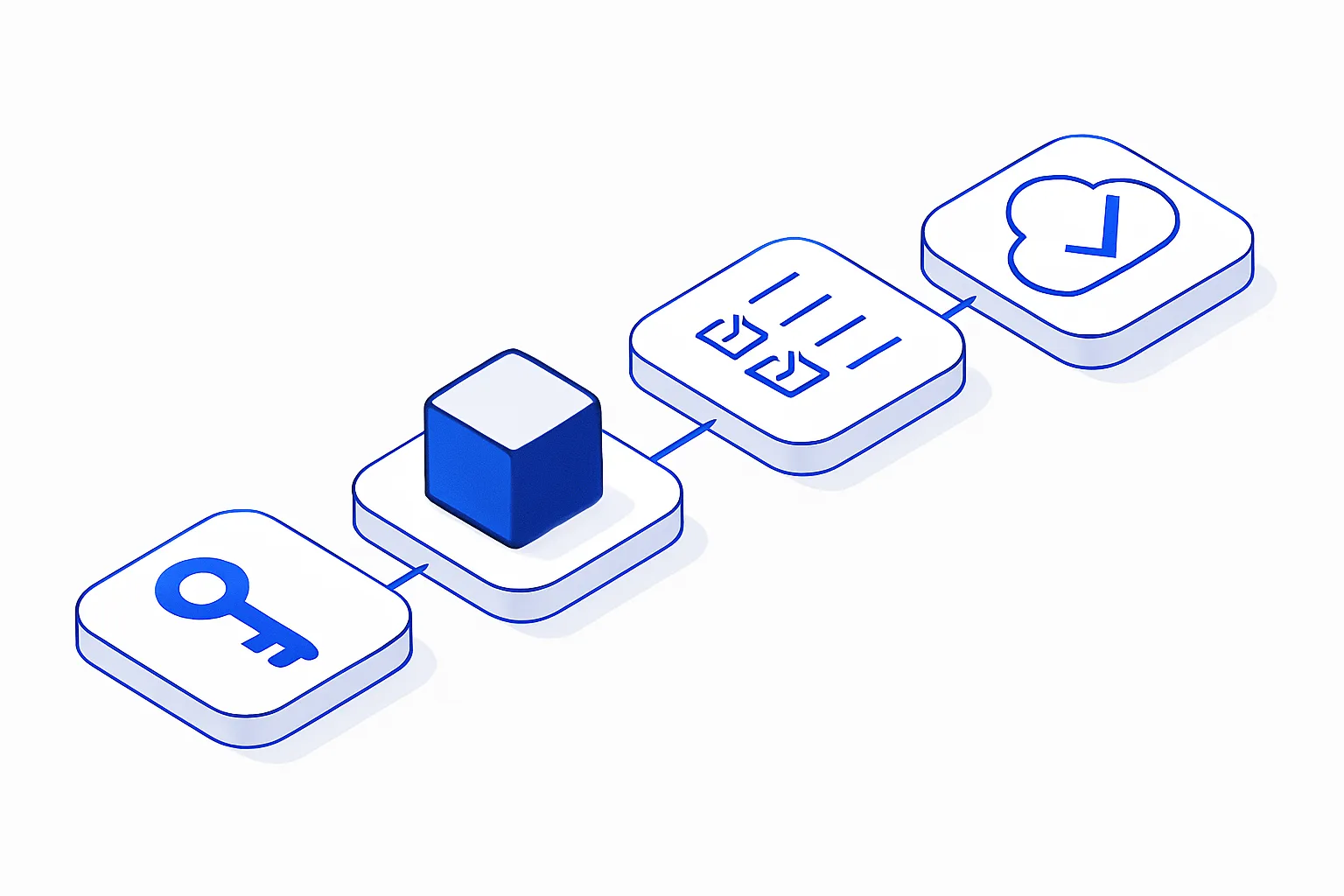
1. The agent opens your account and gets a key
The first blocker used to be the signup form. An agent cannot fill a form, solve a captcha or click a verification link for you. A platform built for agents offers a signup call instead: your name, your email, your agreement to the terms, and back comes an API key in the same answer. The platform sends you a verification email and lets you set a password later, so the agent never invents or stores one.
What to look for: the key must be shown once and carry limited scopes (products and tasks, not billing or team management), the signup must be rate limited per address and per email, and the free plan must hold the account to one product until you decide to pay. Those four things are what make an open signup safe for you and for the platform.
2. The agent creates the product
One call: a name, a paragraph that says what the product is and who it is for, and a type (a SaaS with accounts and billing, an informational site, a shop, a blog). The platform answers with a URL the product will live at and an id the agent keeps. Nothing is built yet; the product exists so that work can be attached to it.
3. The agent turns your wishes into tasks
This is where the conversation earns its keep. "I want people to sign in with a magic link", "add a pricing page with three plans", "connect Stripe" each become a task: a title, a detailed description, a priority. A good agent writes the description the way a product manager would, with the edge cases you mentioned in passing. A platform that builds from tasks then plans the change, writes the code on a branch, runs the tests, deploys to a preview and finally to production. Each task has a status the agent can read, so "what is my product doing?" is a real question with a real answer.
4. You take over whenever you want
The account the agent opened is your account. Set the password from the email, sign in, and everything the agent created is there: the product, the tasks, the deploys, the bill. You can keep working through the agent, through the web, or both. There is no export step and no lock-in to the chat.
Two ways an agent connects: an API description and MCP
Agents reach a platform in one of two ways in 2026, and a serious platform offers both.
- An OpenAPI document. A single URL that describes every call, its inputs and its answers. ChatGPT's custom GPT actions import it directly; Gemini, Grok and any code-writing agent read it to make plain HTTP calls. If a platform cannot show you this URL, the agent is guessing.
- A Model Context Protocol (MCP) server. Claude, Cursor, Windsurf and a growing list of tools speak MCP: the agent asks the server for its tools (
whoami,create_product,create_task, …) and calls them by name. The remote variant is one URL plus your key; nothing to install.
Both routes should end in the same calls, with the same limits and the same bill, so that nothing the agent does is "off the books".
What it costs
Three numbers matter, and a platform should be able to state all three before you spend anything. The plan (free, then a monthly tier when you need more than one product or more power). The work, charged per task in credits, with the first tasks covered by the credits the signup grants. The hosting, which on a serverless platform scales with real traffic and is close to zero for a product nobody has visited yet. Ask for the three numbers; refuse the platform that only gives you one.
A worked example
A founder opens Claude and writes: "Sign me up to Orkosi as Acme with founder@acme.com, I accept the terms. Create a SaaS called Acme CRM for small agencies. First task: a login page with magic links." Claude calls the signup endpoint, keeps the key for the session, creates the product, creates the task, and answers with the product URL and the task id. Ten minutes later the founder asks "where is it?", Claude reads the task and says the preview is deployed and lists what the page does. The founder sets a password from the email and sees the same product in the hub. Nothing was copied and pasted; nothing was installed.
When you should still write code yourself
If your product is the code (a developer tool, a library, an algorithm), you want an editor, not a conversation. If you need a stack the platform does not run, pick the platform that runs it. And if you enjoy it, do it: the platforms are there to remove the parts of building a SaaS nobody enjoys, not the parts someone does.
Summary
To build a SaaS with an AI agent in 2026: let the agent sign you up through a signup call that returns a scoped key, create the product in one call, turn your wishes into tasks with proper descriptions, and read the state back while a platform builds, tests, deploys and hosts. Prefer platforms that publish an OpenAPI document and an MCP server, rate limit the open signup, start you on a free plan with one product, and state the plan, work and hosting costs up front. Orkosi does all of that; the documentation for the agent is at orkosi.com/docs/public-api.