How to Build a Web App Without Coding in 2026: Three Routes
Orkosi Team · · 9 min read
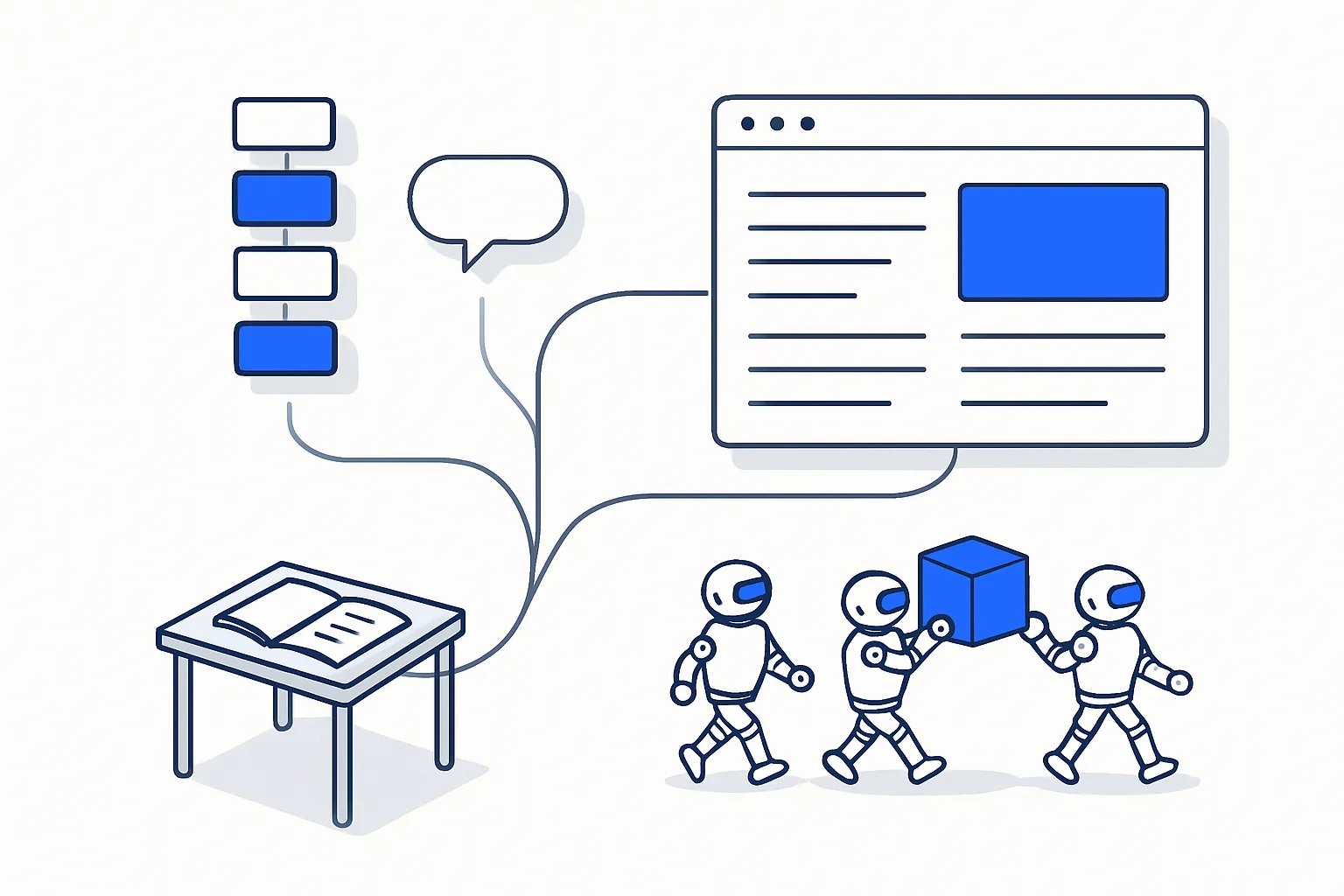
You can build a web app without coding in 2026 by one of three routes: a visual no-code builder such as Bubble, an AI app generator such as Lovable, or an AI agent team such as Orkosi. The builder costs the most of your hours and keeps the app on its platform. The generator is fastest to a first screen and leaves you to test and maintain it by prompt. The agent team takes a written brief, writes real code into your repository, tests it and keeps shipping changes as tasks after launch. Below are the costs of each route in time and money, a one-week worked example, and a plain rule for choosing.

The three routes to build a web app without coding
"Without coding" now covers three different ways of working, and the difference is not cosmetic. It decides who owns the app, who fixes it when it breaks, and how many evenings you spend inside an editor.
A visual no-code builder gives you a canvas. You draw screens, define a data model and wire up workflows through menus. You never see code, but you make every engineering decision yourself.
An AI app generator turns a chat prompt into a working web app. You describe a screen and it appears; you describe a change and it changes. The code exists and usually syncs to a repository, but you drive every edit and you are the only tester.
An AI agent team takes a product brief, plans the build, writes the code, runs tests, reviews the result and deploys it. After launch you write tasks instead of prompts, and an agent builds each one while a reviewer checks it before it ships.
All three can produce a web app that customers pay for. The right one depends on how much time you have, whether you want to own the code, and how much change you expect after launch.
Route 1: a visual no-code builder
Bubble is the reference example of this route. It is a visual editor for web and native mobile apps with its own hosting and database, and it separates a Development version from a Live one, which matters as soon as real users are on the app. Its AI can generate a starting app for the editor, but the editing itself stays visual.
The vendor page quotes annual-billed prices only: a Free plan for the development version, then $59/month (vendor page, checked 2026-10-08) per app on the Starter plan; the next step up costs $209/month per app on the Growth plan, all on Bubble's pricing page. Usage is metered in workload units on top, so a busy app can cost more than the plan line suggests.
The strength of this route is control. You see every screen and every workflow, and the learning curve pays off if you enjoy that kind of work. Bubble also publishes native apps to the stores today, which neither of the other two routes matches. The limit is portability: there is no code export and the app runs on Bubble only, as the Bubble manual on application and data ownership sets out. If you later want a developer to take over, the app is rebuilt rather than handed over.
Route 2: an AI app generator
Lovable is the clearest example of this route. You type what you want and it builds a web app with a managed backend (Lovable Cloud, built on Supabase) and two-way GitHub sync on every plan, so the code sits in a repository you control from day one.
The plans are listed in Lovable's subscription docs: a Free plan with 5 build credits a day, from $25/month (vendor page, checked 2026-10-08) on the Pro plan with a monthly allowance of 100 credits, and from $50/month on the Business plan at its entry credit level; higher credit levels cost more and annual billing gives two months free. A custom domain comes with the paid plans.
Where this route wins is speed to a first screen; nothing else in this comparison gets a working page in front of you faster. Where it stops: editing is chat-driven per prompt, there is no automated test run or review gate before a change goes live, and the environments are an editor preview and a published snapshot rather than a full dev and production pair. It builds web apps only. You are the tester, the reviewer and the release manager.
Route 3: an AI agent team
Orkosi takes the third route. Instead of a chat window, the input is a product brief in plain words. A team of agents plans the work, writes the code, runs automated tests, passes the result through a review gate and deploys it on AWS with TLS and a custom domain. Every product lives in its own GitHub repository, gets a dev and a production environment, and ships with a database, plans and subscriptions through Stripe, a blog engine, a brand kit, email marketing and SEO tooling.
After launch the loop changes shape. You write a task ("add a 24-hour cancellation window to bookings"), an agent builds it, a reviewer checks it, and it deploys. That is what separates an agent team from a generator: the maintenance is done for you rather than by you, one approved task at a time.
The trade-offs are real. You give up the pixel-level control of a visual editor, and your briefs and tasks must be precise enough that an agent cannot misread them. Mobile apps are generated as Expo projects, but app-store submission is planned rather than available today, so a founder who needs a store listing this month is better served by Bubble. There is a free plan; the current plans are on the pricing page and the full list of what is included is on the features page.
What each route costs in time and money
The money is the smaller number on every route. Your hours are the larger one, and they are the number most founders forget to budget. The hour figures below are our estimate for a first version of a typical two-screen app with sign-up and payments.
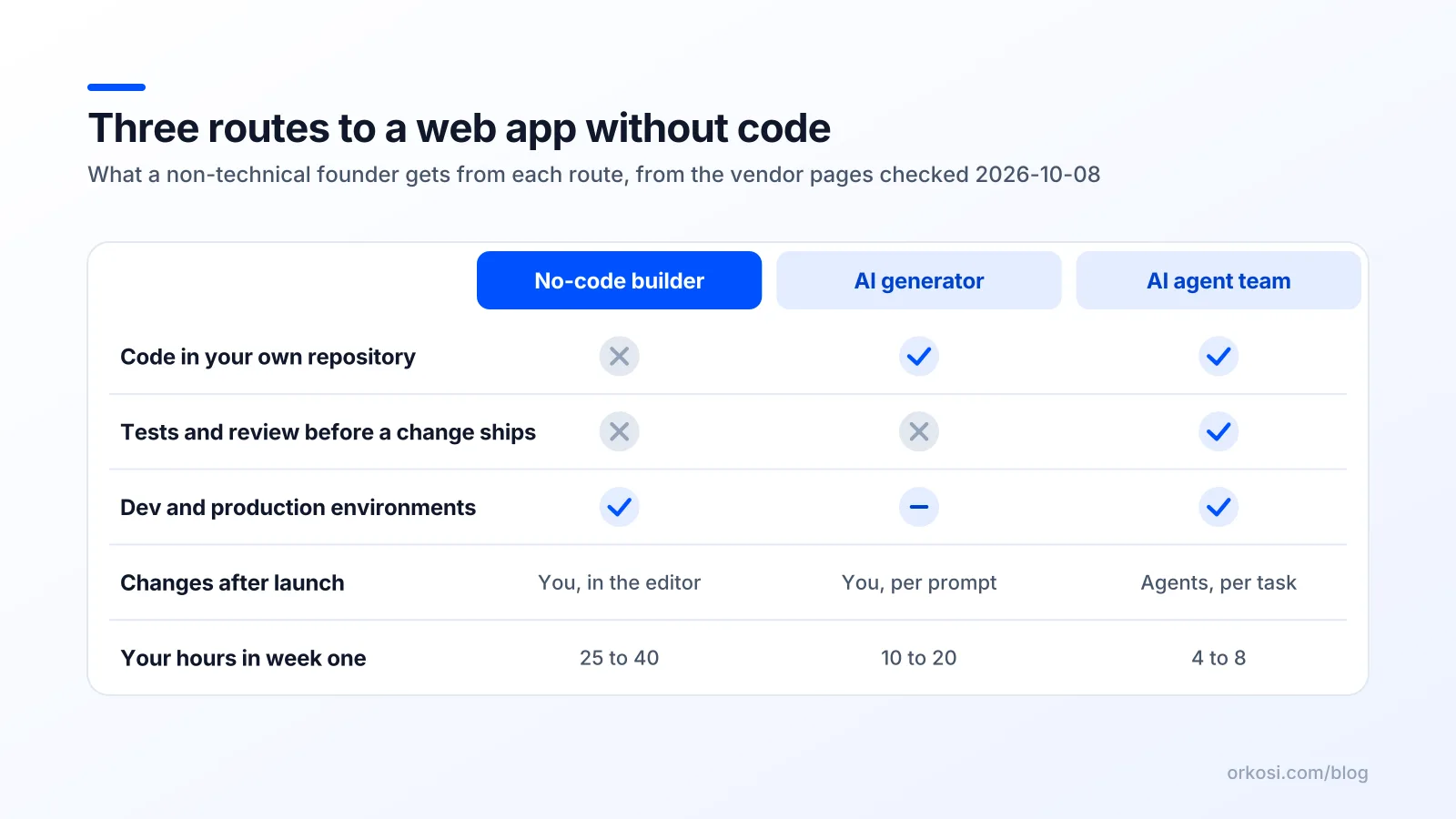
| Cost line | No-code builder (Bubble) | AI generator (Lovable) | AI agent team (Orkosi) |
|---|---|---|---|
| Subscription | $0 to $59/month, billed annually | $0 to $25/month | Free plan; see the pricing page |
| Hosting and TLS | Included | Included | Included, on AWS |
| Your hours in week one (typical, our estimate) | 25 to 40 | 10 to 20 | 4 to 8 |
| Who tests before a change goes live | You | You | Automated tests and a reviewer |
| Code in your repository | No | Yes | Yes |
| Changes after launch | You, in the editor | You, per prompt | Agents, per task |
Two lines apply whichever route you take. Card payments carry Stripe's standard fees, published on Stripe's pricing page, and a domain name is a separate yearly purchase. Neither is large, but both are yours to pay on all three routes.
A worked example: one week to a booking app
Take a dog groomer who wants online booking with a deposit, a customer list and reminder emails. Here is how the same week runs on each route when you build a web app without coding.
Monday: the brief. On every route the best hour you spend is writing one page: who books, what a booking contains (dog, service, slot, deposit), what the groomer sees, and what is out of scope (loyalty points, a mobile app, staff rotas). On an agent team this page is the input; on the other two it is your own spec.
Tuesday to Thursday: the build. On Bubble you draw the booking form, the calendar and the admin list, and wire the Stripe plugin for the deposit; expect most of three evenings. On Lovable you prompt the pages into existence in an afternoon, then spend the next two evenings fixing details by prompt, testing each one yourself. On the agent team the agents build, test and review the product from the brief while you wait, and your job is to click through the dev environment as a customer would and note what is wrong.
Friday: payments and domain. Bubble's official Stripe plugin and Lovable's built-in payments on paid plans both need configuring by you. On the agent route, plans and Stripe subscriptions are part of the build, so Friday is pointing the domain and checking the confirmation email.
Weekend: the first ten bookings. Send the link to ten existing customers. Every route produces a list of fixes by Sunday night. On Bubble and Lovable you make them yourself on Monday. On the agent team you write them as tasks and approve the results.
The time split is the lesson. The builder route spends your hours on construction, the generator route on testing and correction, the agent route on reviewing and deciding.
When to pick which route
Pick the visual builder when you enjoy visual editing, need a native app in the stores now, and are comfortable that the app lives on the vendor's platform for good. It is also the right call for internal tools where portability never matters.
Pick the AI generator when you want to see something today, you will iterate alone, the app is web only, and you are happy being the tester. For a prototype to show investors or a landing page with a waiting list, it is hard to beat on speed.
Pick the AI agent team when you want to own the code, you do not want to spend evenings in an editor, you need accounts and billing from the first day, and you expect a steady stream of changes after launch. The agent approach costs you the fewest hours and gives you a review step you would otherwise have to be.
Routes 2 and 3 are not permanent choices, because the code sits in GitHub and a developer can pick it up later. Route 1 is permanent. If you are not sure how you want to build a web app without coding, that single fact should decide it. The comparison pages put the feature grids side by side if you want the detail.
Mistakes that waste the first month
- Opening the tool before writing the brief. Screens feel like progress and are not.
- Building the admin dashboard before the customer workflow.
- Adding team roles, integrations and a mobile app to the first version.
- Trusting a generated screen without testing it as a customer, including the failed-payment path.
- Choosing a route because a demo looked easy, without checking where the code lives and how you would leave.
- Launching to strangers before launching to ten people you already know.
Avoid these six and you are ahead of most technical founders too.
Bubble is a trademark of its owner; Orkosi is not affiliated with it. Lovable is a trademark of its owner; Orkosi is not affiliated with it.
FAQ
Can I really build a web app without coding and charge for it?
Yes. All three routes produce apps that take payments through Stripe, and all three include hosting and a custom domain on their paid plans. What no route does for you is decide the price, write the brief or talk to the first ten customers. Those remain the founder's job.
Which route is cheapest?
In cash, the AI generator and the agent team both start free, and Bubble's Free plan covers the development version only. In hours, the agent team is cheapest because the building, testing and review are done for you. The honest total is subscription plus your hours, and the hours are usually the bigger number.
What happens if I outgrow the tool?
On Lovable and Orkosi the code is in your GitHub repository, so a developer can continue from it. On Bubble there is no code export, so outgrowing it means rebuilding. Decide at the start whether that risk is acceptable for your product.
Do I need to know anything technical?
You need to describe the product precisely and test it as a customer. You do not need to read code on any of the three routes. The docs explain how to write a brief and a task that an agent will not misread, and the same discipline helps on the other routes.
Ready to try the agent route with the groomer's brief, or your own? Create a free account and see what gets built from one page of plain words, then compare plans on the pricing page when you know how often you want to ship changes.