Do You Own the Code AI App Builder Tools Write for You?
Orkosi Team · · 9 min read
Whether you own the code AI app builder tools write for you comes down to one practical test: can you clone a complete, runnable copy of the application into a GitHub repository you control, today, without asking anyone? On the public feature grids we checked on 2026-10-08, Lovable, Bolt and v0 pass that test on their standard plans, Replit and Base44 pass with conditions, and Bubble offers no code export at all. Legal ownership of "your app" and practical ownership of its code are different things, and the second one is what protects you when a vendor changes its prices, its terms or its roadmap. This guide shows how to tell them apart and what to ask before you build.

Two kinds of ownership: legal and practical
Legal ownership is what the terms of service say about intellectual property. Most builders grant you rights to what you create; the detail is in the licence they keep for themselves and the conditions attached. Practical ownership is simpler and harsher: if the vendor disappeared tonight, could you run the application somewhere else tomorrow?
You can have the first without the second. A visual builder can assign you every right to your app and still hold the only runnable copy inside its own platform. You can also have the second and worry much less about the first: if the full source sits in a repository under your account, written in a standard language and framework, your legal position is strong because your practical position is.
When people ask whether they own the code AI app builder agents produce, they usually mean the practical kind. That is the right instinct. The rest of this article is about testing it.
Which AI app builders put the code in your GitHub repository
The clearest signal of practical ownership is a two-way connection to a GitHub repository you own. The table uses one row from the public feature grid, "Code in your own GitHub repository", for six builders, as checked on 2026-10-08. "Partly" means the connection exists with the condition in the note.
| Tool | Code in your own GitHub repository | Note from the grid | Vendor page |
|---|---|---|---|
| Lovable | Yes | Two-way sync on every plan | GitHub integration docs |
| Bolt | Yes | GitHub integration | Version history and GitHub |
| v0 | Yes | GitHub sync on Free | v0 FAQ |
| Replit | Partly | GitHub source control connection | Replit deployments docs |
| Base44 | Partly | GitHub sync on Builder and above | Developer tools docs |
| Bubble | No | No code export; runs on Bubble only | Application and data ownership |
| Orkosi | Yes | Every product lives in its own GitHub repository | Features |
Three observations. First, a "yes" on this row is now common among AI builders; Lovable, Bolt and v0 all sync on their entry plans. Second, the "partly" cases are about plan tiers and setup: on Base44, GitHub sync starts at $40 a month billed annually on the Builder plan (vendor page, checked 2026-10-08), and on Replit it is a source control connection you configure rather than a default. Third, Bubble's "no" is a design choice: it is a visual editor whose applications run on Bubble, and the public grid lists no code export.
A "yes" is necessary but not sufficient. The next question is what is actually in the repository.
What "export" really means for a visual builder
Export is the most misread word in this market. For a code-first tool it means the source: files you can read, build and deploy elsewhere. For a visual builder it often means something narrower, and the difference decides whether you can leave.
- Data export. You can download your records as CSV or JSON. Useful, and the minimum any serious tool should offer, but it is the contents of the house, not the house.
- Design or configuration export. A file that describes your screens and workflows in the vendor's own format. It only runs inside the same vendor's editor, so it does not reduce lock-in; it is a backup.
- Generated code snapshot. Some tools can emit code at a moment in time. Check whether the snapshot is complete (backend, database schema, authentication) and whether you can keep working on it outside the tool, or whether it is a one-way door.
- Live source in your repository. Every change the tool makes lands as a commit in a repository you own, in a standard framework, and you can run it without the vendor. This is the only level that fully answers the ownership question.
For the Bubble row above, the public grid says there is no code export and the application runs on Bubble only, so the first two kinds are what you should expect; Bubble's manual has a page on application and data ownership that sets out its position. That is not a reason to avoid Bubble if a visual editor is what you want. It is a reason to know what you are choosing.
Lock-in is a spectrum, not a switch
It helps to place a tool on a five-step scale before you commit.
- Code in your repository, standard stack, deploy anywhere. The vendor is a contributor to your project, not its landlord.
- Code in your repository, but tied to the vendor's backend services. The frontend is portable; the database, authentication or functions live in a managed service you would need to replace. On the grid, Lovable's database is Lovable Cloud, built on Supabase, and Bolt offers Bolt Database or Supabase, so read the database row alongside the GitHub row for any tool.
- Code export on demand. You can get a snapshot, but the tool does not work from your repository, so every export is a fork.
- Data export only. Records come out; logic stays in.
- Nothing leaves. The app runs on the vendor's platform and is described in its format.
Orkosi sits at step one by design: the agents write the code into a GitHub repository the customer owns, deploy it on AWS, and keep working through tasks the customer approves. The trade-off is that you work through a task board rather than a drag-and-drop editor, and a visual builder will get a non-technical founder to a first screen faster. The compare pages list the grid for each tool.
Questions to ask before you build
To own the code AI app builder tools write, ask these before the first prompt and write the answers down. They take ten minutes, and they are the difference between a product you own and a subscription you cannot cancel.
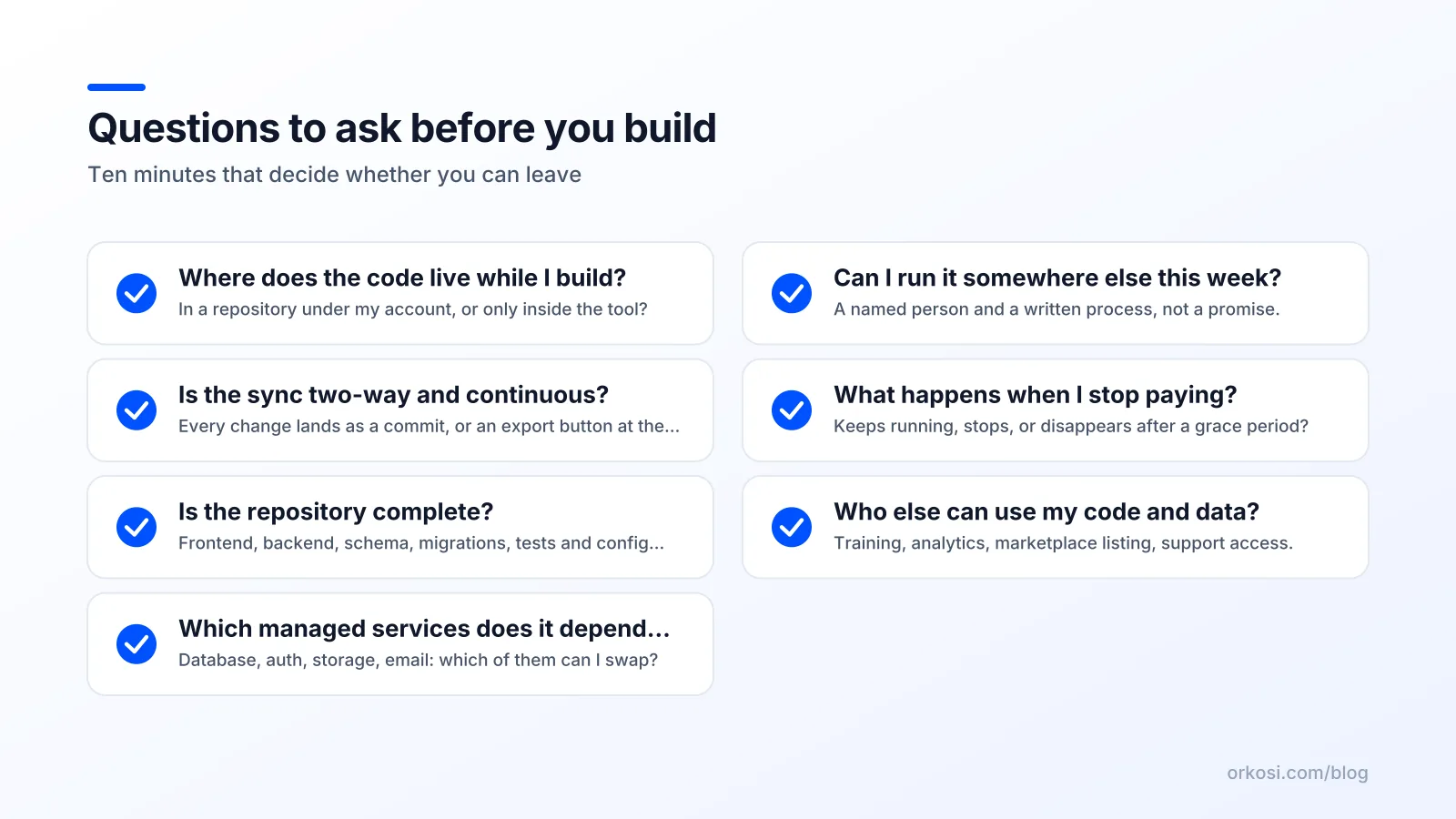
- Where does the code live while I build? In a repository under my account, or only inside the tool?
- Is the sync two-way and continuous? Or is it an export button I press at the end?
- Is the repository complete? Frontend, backend, database schema, migrations, tests and the configuration needed to run it.
- Which managed services does the app depend on? Database, authentication, file storage, email. Which of them can I swap?
- Can I run it somewhere else this week? Not in theory; with a named person and a written process.
- What happens to the app when I stop paying? Does it keep running, stop, or disappear after a grace period?
- Who else can read or use my code and data? Training, analytics, marketplace listing, support access.
If a vendor's answer to any of these is "that is on the roadmap", treat it as "no" until it ships.
What to check in the terms of service
Marketing pages describe features; the terms describe rights. Five clauses matter more than the rest.
- Intellectual property assignment. Who owns what the tool generates? Look for whether rights are assigned to you or merely licensed to you, and whether any part (templates, components, the runtime) is excluded.
- Licence back to the vendor. Most terms grant the vendor a licence to host and process your content; check whether it extends to using your code or data for other purposes.
- Export and termination. What you can take with you, in what format, and for how long after cancellation.
- Change of terms and pricing. How much notice you get, and whether existing projects are protected from a change.
- Data location and processing. Where your customers' data lives and who the sub-processors are, which matters for GDPR and similar obligations.
Read the vendor's own ownership or developer page before the legal text; it tells you how they think about the question. For the tools in the table, the linked pages are the right starting points. Orkosi's position is in the documentation: the code is yours, in your repository, from the first commit.
How to own the code AI app builder agents write, from day one
Here is the practical sequence, whichever tool you pick.
- Create the GitHub repository yourself, under your organisation, before you connect any tool. The repository that exists first is the one with the history.
- Connect the builder with the minimum permissions it needs and confirm that its first change arrives as a commit you can read.
- Pull the repository to a laptop and run it. If that fails, you do not yet own the code AI app builder agents are producing; you own a view of it.
- Note every managed service the app calls and keep the credentials in your own accounts, not the vendor's.
- Repeat step three once a month. Ownership decays quietly when a tool adds a dependency you did not notice.
Do this and the question of whether you own the code AI app builder platforms generate stops being a legal debate and becomes a routine check, which is where it belongs.
Lovable is a trademark of its owner; Orkosi is not affiliated with it. Bolt is a trademark of its owner; Orkosi is not affiliated with it. v0 is a trademark of its owner; Orkosi is not affiliated with it. Replit is a trademark of its owner; Orkosi is not affiliated with it. Base44 is a trademark of its owner; Orkosi is not affiliated with it. Bubble is a trademark of its owner; Orkosi is not affiliated with it.
FAQ
If the code is in my GitHub repository, do I own it?
Practically, yes: you can clone, build and deploy it without the vendor. Legally, check the intellectual property clause in the terms, since some tools license rather than assign rights to parts of the output. Both tests should pass before you rely on the answer.
Does "GitHub sync" mean the whole app is exported?
Not always. Sync may cover the frontend while the database, authentication or functions remain in the vendor's managed services. Read the "Database included" row of the grid next to the GitHub row, and check that the repository contains the schema and configuration you would need elsewhere.
Can a visual builder like Bubble ever give me the code?
On the public grid checked 2026-10-08, Bubble lists no code export and its applications run on Bubble only. That is consistent with how a visual editor works: the app is a configuration the platform interprets, not source code. If leaving matters to you, pick a tool that writes code into your repository.
What does Orkosi do differently?
Every product is built in its own GitHub repository that the customer owns, deployed on AWS with a dev and a production environment, and improved through tasks with a review gate. The honest trade-off is that a drag-and-drop editor gets a non-technical founder to a first screen faster; see the feature list and the pricing page.
If you want the code in your own repository from the first commit, create a free account, describe the product, and check the plans on the pricing page once you have seen the first version.